
The challenge
Balancing financial complexity with usability: a flexible, clear and accessible tool that also complies with financial regulations and protects the privacy of personal data.
Financial complexity
Income, deductible expenses, taxes and savings products in a single tool.Usability
A clear, flexible interface for people who are not finance experts.Regulation and privacy
Complying with financial regulations and protecting personal data.
Design process
I followed a five-phase Design Thinking process, from research to validation.
Empathize
Research the financial needs of users.
Define
Set the goals of the savings calculator and the features it needs.
Ideate
Create the user flow and interactive wireframes to simulate the experience.
Prototype
Build an appealing, consistent interface that follows usability and user-centred design principles.
Test
Validate that the app is intuitive and meets users’ expectations.
User persona

Antonio Valdés
- Age
- 44
- Location
- Madrid, Spain
- Occupation
- Orchestra conductor, self-employed
- Family
- Married, with 2 children and 1 on the way
He is registered as self-employed under the Spanish special scheme for freelancers. With a third baby on the way they will become a large family, and his main concern is saving for his children’s education. He enjoys classical music and contemporary dance.
Needs
Save money, balance spending and saving without giving up his family’s lifestyle, and improve his financial situation.Pain points
He needs a flexible, bureaucracy-free solution that helps him, in a practical way, to save and keep up the family lifestyle.Digital profile
Comfortable with the internet, social media, online shopping and mobile apps.
Empathy map
What does he think and feel?
Worries and aspirations
- Saving for his children’s university
- The arrival of the new baby
- Keeping his income under control
What does he hear?
What his friends and family say
- His wife, worried about expenses
- Travel plans with friends
- His eldest son, excited about university
What does he see?
His surroundings and what the market offers
- Friends travelling with their children
- His eldest son starting university
- The birth of his baby
- Retirement plans
What does he say and do?
How he behaves in public and with others
- Professional at work
- Family-oriented
- Committed
- Kind to the orchestra staff
- Admired by the musicians he works with
Pains
Fears, frustrations and obstacles
- His financial situation with 3 children
- Everything he pays in his tax return
- Complications during the birth
Gains
Wishes, needs and achievements
- Keeping his and his family’s quality of life
- The baby on the way
- The orchestra award
How Might We and Jobs To Be Done
How Might We (HMW) questions turn hard challenges into creative opportunities. The Jobs To Be Done (JTBD) theory holds that people don’t buy products: they look for solutions to the problems in their lives.

“When I file my tax return this year, I want to pay less and save for my children’s university, have money for whatever the new baby needs, and plan our summer holidays.”
Antonio Valdés
How Might We…
HMW
How might we help Antonio pay less on his tax return?HMW
How might we help Antonio keep the new baby’s expenses under control?HMW
How might we help Antonio save for his children’s university?HMW
How might we help Antonio plan the costs of his summer holidays?
Jobs To Be Done
JTBD
If Antonio pays less on his tax return, he will have more money available for his savings plans.JTBD
If Antonio keeps the expenses of the baby on the way under control, he will be able to plan the summer holidays without trouble.
Hypothesis and experiment
Hypothesis
Users like Antonio, from large families facing financial difficulties, look for strategies to pay less tax, save for future needs and maintain their own and their family’s standard of living.
Experiment
The experiment focuses on optimising the calculation of deductible expenses to maximise the savings of his business activity:
- An expense tracker to record and categorise the costs related to the baby’s arrival.
- A connection with his banks for detailed records.
- A deductible expenses calculator that shows the accumulated savings, with access to tax details and an estimate of future payments.
- Tax advice, tax return forms and support to resolve queries with the Spanish Tax Agency.
- Discounts for inviting friends to join the platform.
The solution
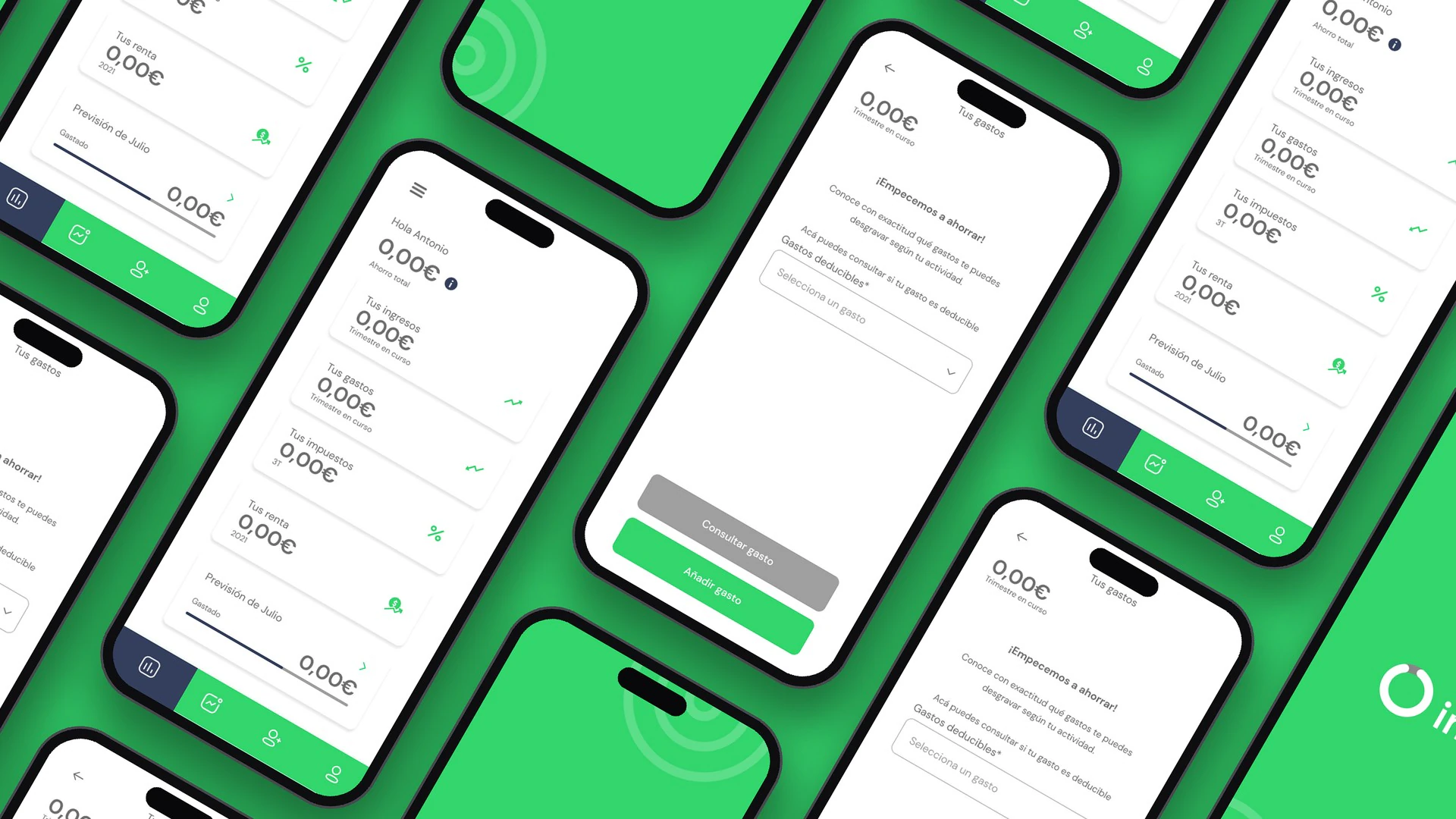
A savings calculator that helps people plan and manage financial products to maximise the return on their investments, tailored to each person’s profile and goals. Its key features:
Savings calculator
Plan savings and see how much builds up according to personal profile and goals.
Financial products
Access the products of partner institutions to grow the return on investments.
Invite friends
Get discounts by inviting other people to join the platform.
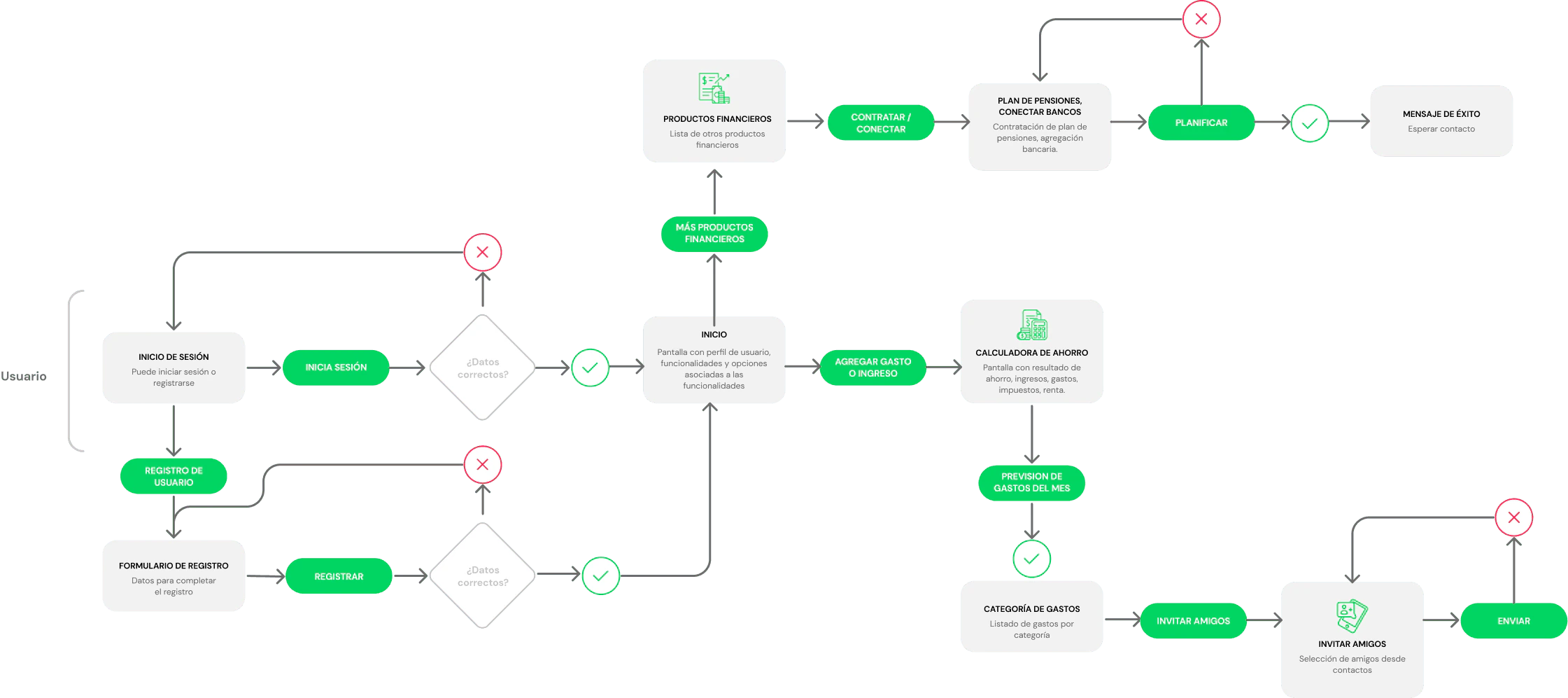
User flow
These are the steps a user follows when using the calculator.
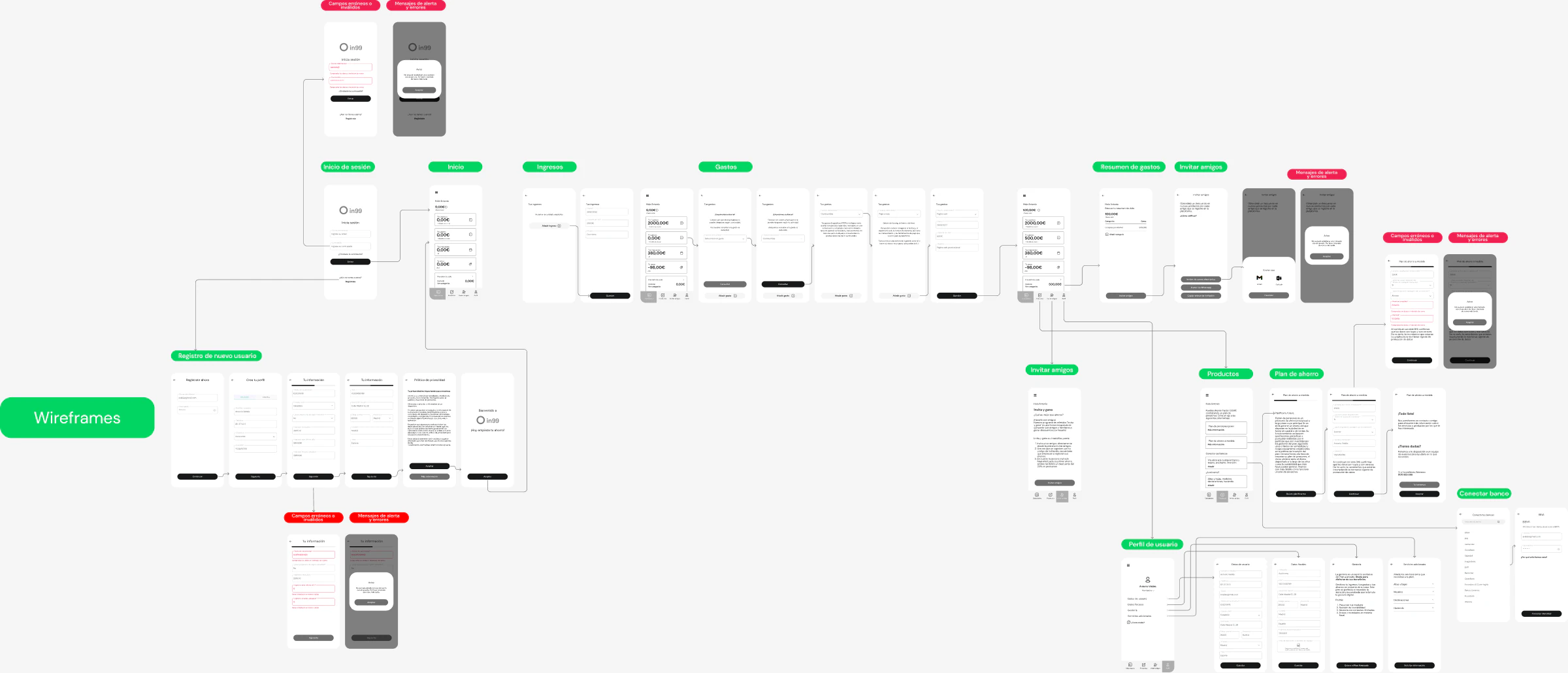
Wireframes
The low-fidelity wireframes show the basic structure of the interface: they focus on the layout of elements, functionality and content organisation, without visual detail.
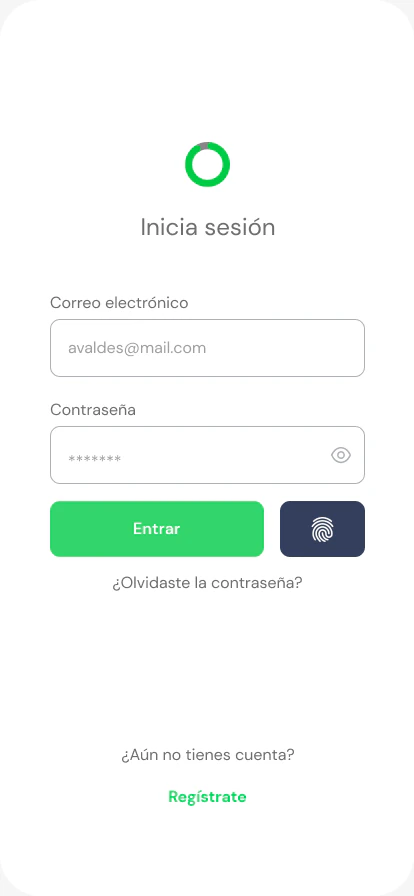
High-fidelity prototype
The interactive prototype covers signing in and the happy path, taking out a savings plan and connecting to the bank.
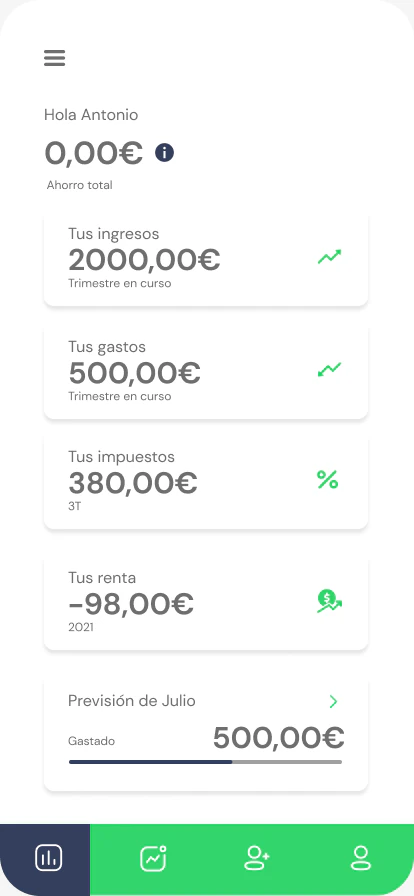
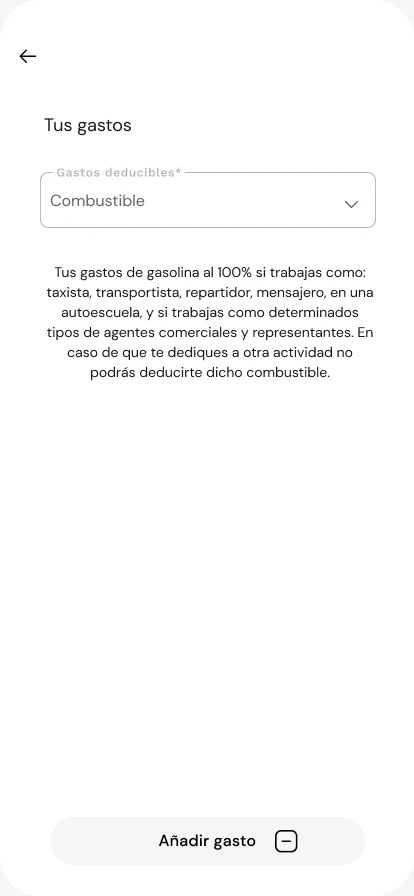
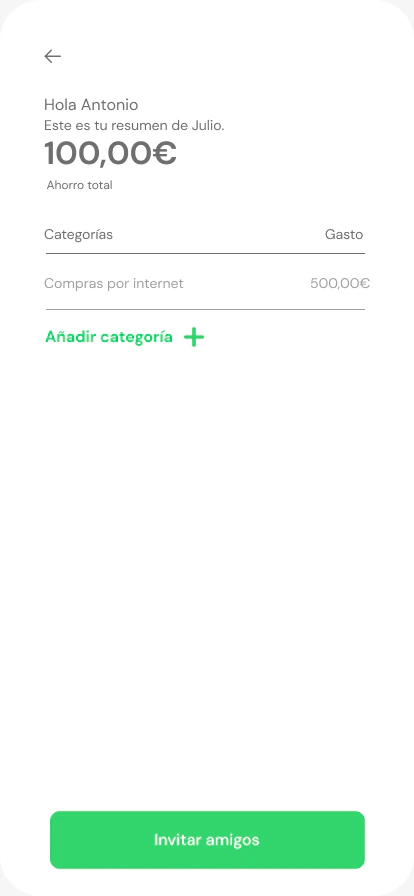
Try it yourself: move through the screens as Antonio would.
Open the prototype in Figma (opens in a new tab)Heuristic evaluation
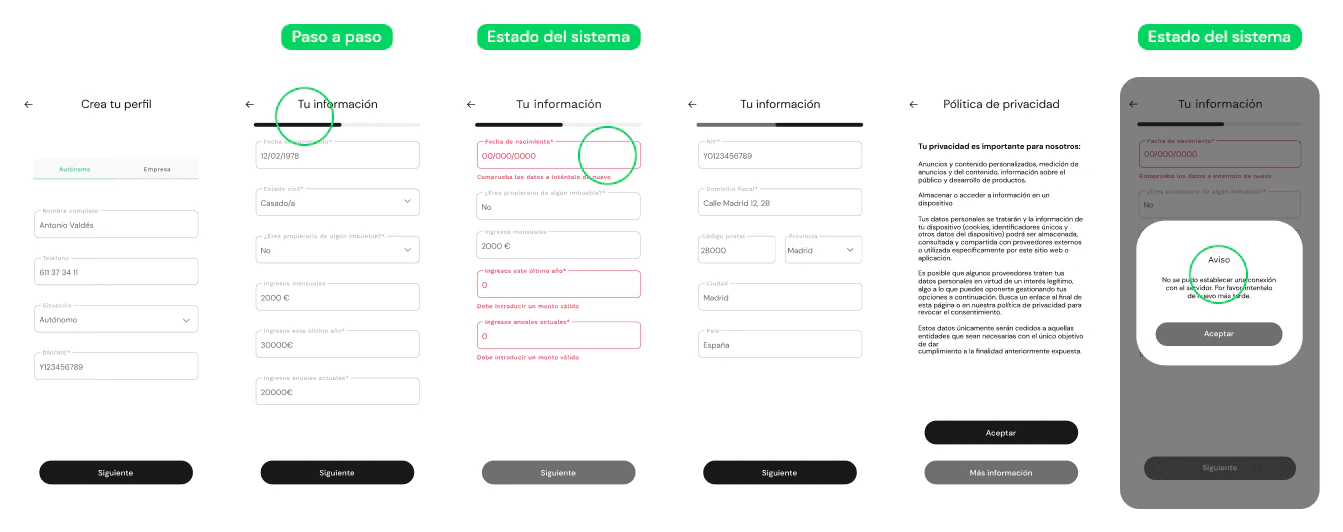
To shape the UX, I evaluated the interface against Jakob Nielsen’s 10 usability heuristics, guidelines that help spot potential problems and improve the experience. This is how each one applies to in99:
 01
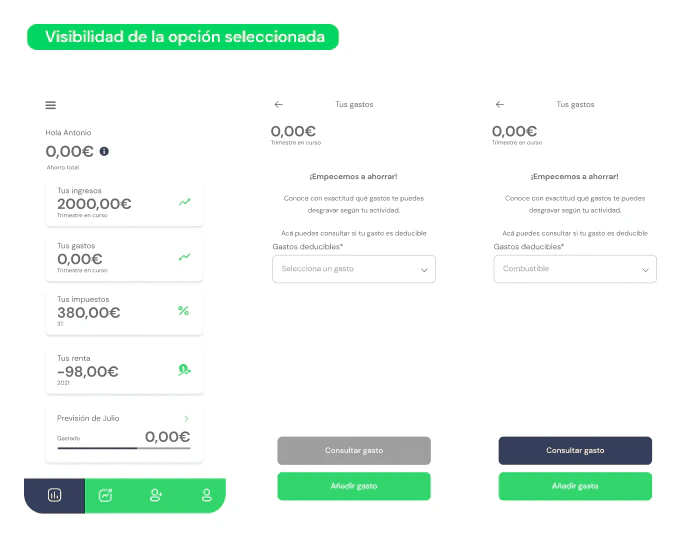
01Visibility of system status
The system should always keep users informed, with appropriate feedback within a reasonable time. Breadcrumbs or the steps of a process help people know where they are at any moment.
 02
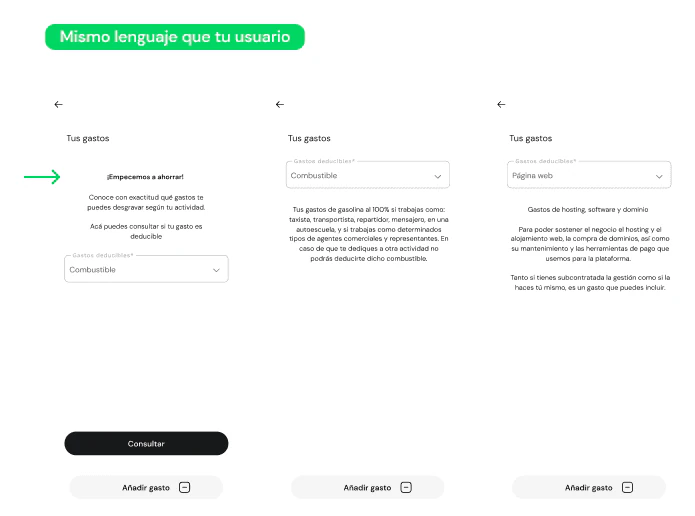
02Match between the system and the real world
Speak the users’ language, with words and concepts that are familiar to them, and present information in a natural, logical order.
 03
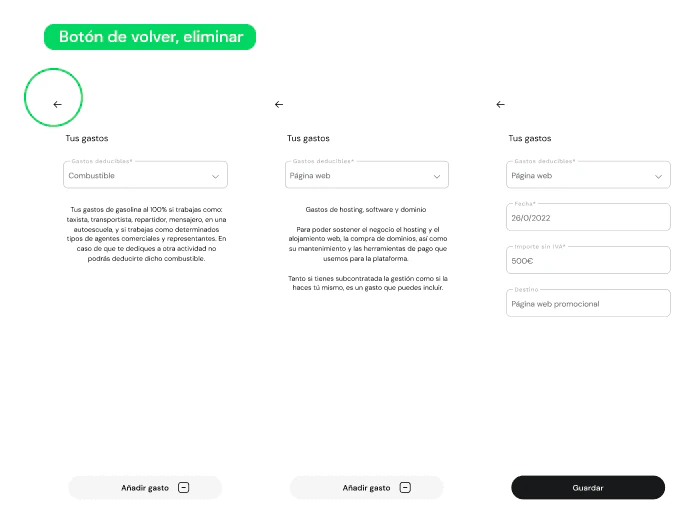
03User control and freedom
Always offer a way to go back, delete, undo or edit.
 04
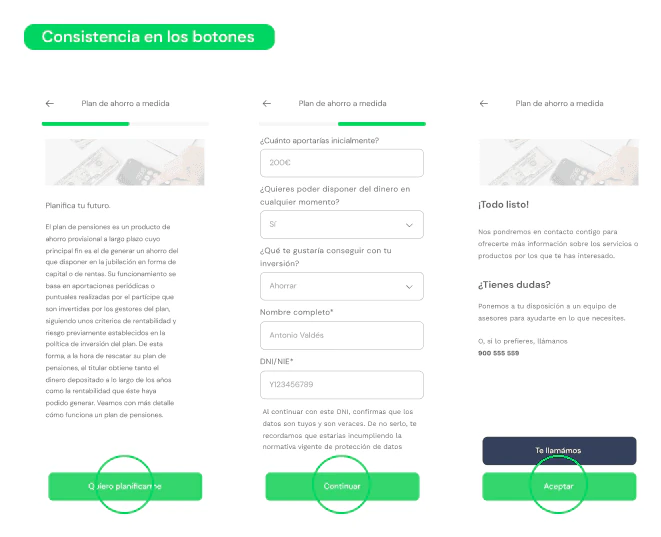
04Consistency and standards
Users should not have to wonder whether different words, situations or actions mean the same thing. If an action button is green, it should look the same on every screen.
 05
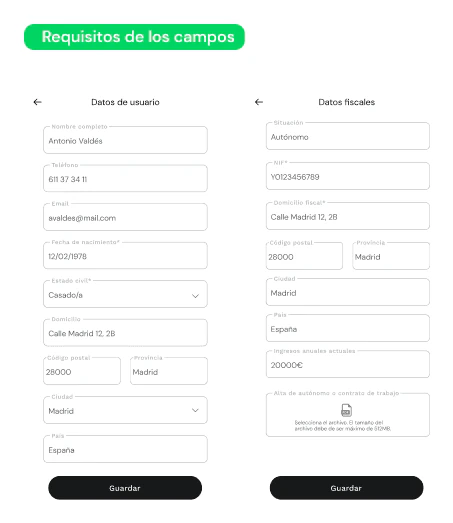
05Error prevention
Before designing good error messages, try to prevent errors in the first place. In forms, explain the requirements of each field clearly.
 06
06Recognition rather than recall
Don’t make users memorise objects, actions or options: keep them visible so nobody has to remember information from one step to the next.
 07
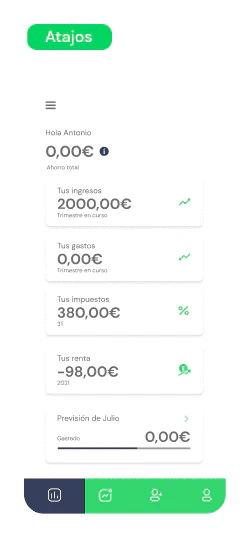
07Flexibility and efficiency of use
Shortcuts, invisible to newcomers, speed up the interaction for expert users. That way the system serves both.
 08
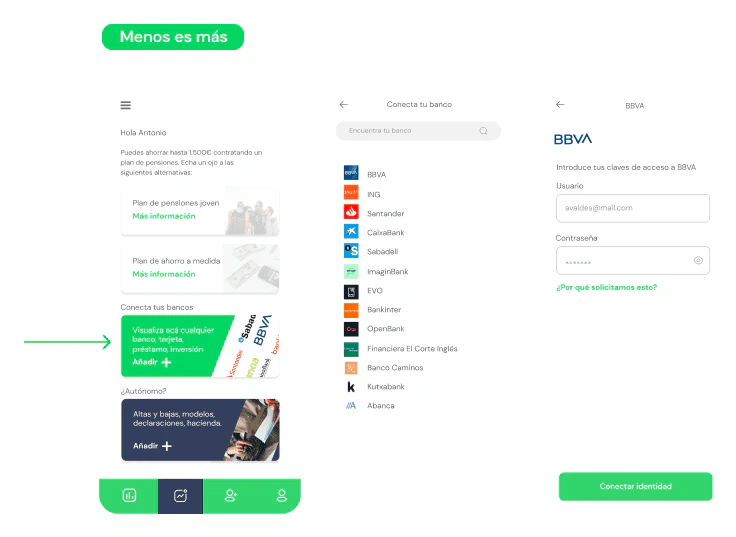
08Aesthetic and minimalist design
Less is more: every extra piece of data competes with the important information and weakens its hierarchy.
 09
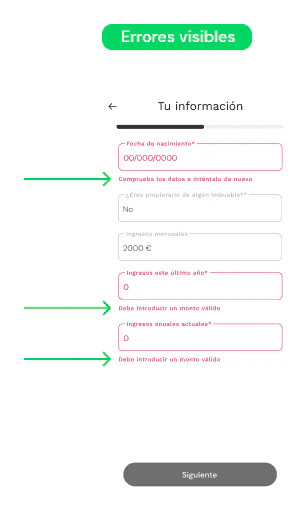
09Help users recognise, diagnose and recover from errors
Plain, everyday language helps identify the problem and suggests a solution.
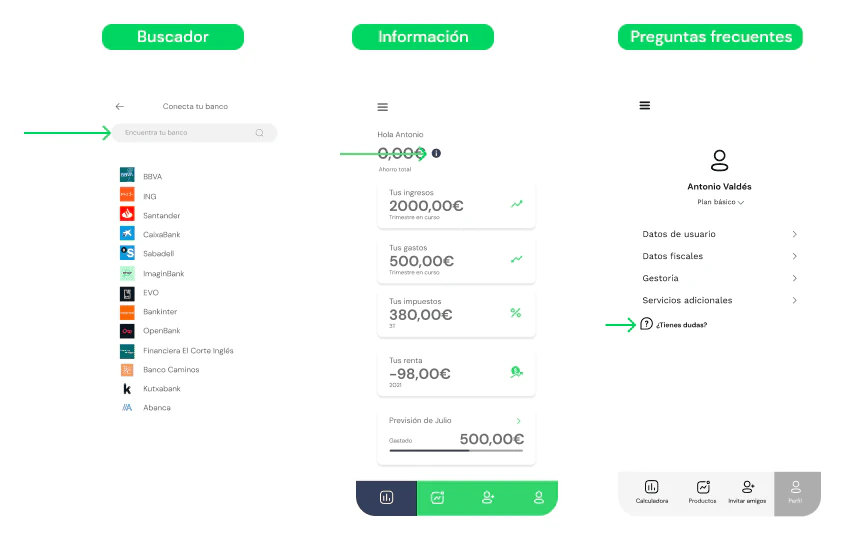 10
10Help and documentation
Ideally the app can be used without documentation. Even so, a good search, an assistant or a solid FAQ help whenever there is doubt.
1 / 10
Next step: testing with users
With the solution defined, it is time to validate it, without forgetting that we are not the end user. These are the proposed methods:
Five-second test
Show a screen for 2 to 5 seconds and then ask what people understood from it.Heatmaps and session recordings
Watch how users move around and which areas catch their attention while they use the app.User testing
Test with real people to align the design with their expectations and fix errors before launch.